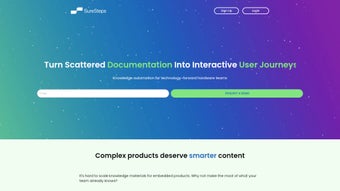

Download SureSteps – AI‑Powered Interactive Support Guides & Analytics
Introduction & Overview
In today’s fast‑moving digital landscape, customers and employees expect instant, contextual help that adapts to the exact step they are on. Traditional PDFs or static knowledge‑base articles often fall short, leading to higher support ticket volumes, longer onboarding cycles, and frustrated users. SureSteps addresses this gap by turning ordinary documentation into intelligent, interactive guides powered by artificial intelligence.
The platform is delivered as a secure, subscription‑based SaaS solution that runs completely in the browser, meaning there is no heavyweight client to install and updates are applied automatically. With a drag‑and‑drop builder that requires no coding, teams can create step‑by‑step procedures enriched with images, video, code snippets, and dynamic AI prompts. Once published, these guides can be embedded in any portal, knowledge base, or intranet, and they automatically resize for desktop, tablet, or mobile screens.
The built‑in analytics dashboard records every click, completion time, and drop‑off point, turning each interaction into actionable data that product managers and support leaders can use to refine processes and improve product adoption. Whether you are a support manager aiming to reduce ticket volume, an HR professional streamlining onboarding, or a product team seeking deeper insight into user behavior, SureSteps offers a single, secure environment that consolidates documentation, AI‑driven assistance, and performance metrics. By delivering personalized, context‑aware help at the moment of need, SureSteps helps organizations cut costs, boost satisfaction, and accelerate learning—all while maintaining compliance with GDPR and other data‑privacy standards.
Key Features of SureSteps
- AI‑Powered Contextual Assistance: Real‑time, natural‑language responses that adapt to the user’s current step, reducing the need for manual searching.
- Interactive Step‑by‑Step Guides: A visual, no‑code workflow builder that supports images, GIFs, videos, and code snippets.
- Seamless Integration: Connectors for Zendesk, Freshdesk, ServiceNow, Intercom, and custom web apps via REST APIs and webhooks.
- Analytics & Insights Dashboard: Detailed metrics on guide usage, completion rates, average time per step, and heat‑maps of user interaction.
- Multi‑Channel Publishing: Export guides as embeddable widgets, QR‑code links, PDFs, or self‑contained HTML files for offline distribution.
- Version Control & Collaboration: Team members can comment, propose edits, roll back to previous versions, and track change history.
- Security & Compliance: End‑to‑end encryption, role‑based access, GDPR‑ready data handling, and ISO‑27001‑certified cloud storage.
- Responsive Design: Guides automatically adapt to desktop, tablet, and mobile screens without additional configuration.
- Scheduled Updates & Seasonal Publishing: Set publishing windows for product releases, compliance updates, or seasonal procedures.
- Multi‑Language Support: Built‑in localization tools and integration with third‑party translation services to reach global audiences.
Each feature is designed to work together, creating a cohesive ecosystem that empowers non‑technical users to author sophisticated help content while providing IT and security teams with the controls they need. The AI engine continuously learns from resolved tickets and user interactions, improving suggestion relevance over time. Meanwhile, the analytics suite offers granular filters—by date range, user segment, or specific guide—so decision makers can pinpoint friction points and prioritize enhancements. The combination of rich media support, responsive design, and secure multi‑tenant architecture makes SureSteps a versatile solution for businesses of any size, from startups looking for a lightweight help system to large enterprises needing robust governance and compliance.
Installation, Compatibility & First‑Time Usage
Because SureSteps is a cloud‑native SaaS platform, there is no traditional software installation on end‑user devices. Getting started is a three‑step process that can be completed in under ten minutes. First, create your account by visiting the SureSteps website, selecting a subscription tier (Starter, Professional, or Enterprise), and completing the secure sign‑up flow.
An email verification step protects your account from unauthorized access. Second, configure integration points in the admin console. Navigate to the Integrations tab to connect to existing support portals such as Zendesk, Freshdesk, or ServiceNow by entering API keys or using OAuth authentication.
For custom web applications, a simple JavaScript snippet is provided that can be placed on any page to render the guide widget. Third, build your first guide using the visual editor. Click the New Procedure button, drag a step onto the canvas, and enrich it with text, screenshots, GIFs, or embedded YouTube videos.
Toggle the Smart Prompt switch to enable AI assistance; the system will automatically suggest relevant help based on the user’s input at each step.
The platform runs entirely in modern browsers, making it compatible with any operating system that supports up‑to‑date web standards. Recommended environments include:
- Windows 10/11 – Chrome, Edge, or Firefox (latest)
- macOS 12+ – Safari, Chrome, or Firefox
- Linux distributions – Chrome or Firefox
- iOS 14+ – Safari or Chrome
- Android 9+ – Chrome or Firefox
Older browsers such as Internet Explorer 11 are not supported due to reliance on JavaScript, WebGL, and HTML5 APIs. For optimal performance, ensure a stable internet connection of at least 5 Mbps and a device with 4 GB of RAM or more. After publishing, you can share the guide’s unique URL, embed the widget on your support portal, or generate a QR code for on‑premise devices. The real‑time preview mode lets you test the flow before going live, and any subsequent edits are instantly propagated to all users when you click Republish. Ongoing usage is monitored in the Analytics tab, where you can drill down into specific steps, filter by user segment, and export reports for further analysis.
Pros, Cons & Frequently Asked Questions
Pros
- AI‑driven, context‑aware assistance dramatically reduces support tickets.
- No‑code guide creation with rich media support speeds up content production.
- Deep analytics provide actionable insights for product and process improvement.
- Seamless integration with major help‑desk platforms and custom APIs.
- Responsive design ensures guides work flawlessly on any device.
- Robust security, GDPR compliance, and role‑based access controls.
- Unlimited guide creation across all subscription tiers.
- Multi‑language localization expands reach to global audiences.
Cons
- Subscription pricing may be higher for very small teams or startups.
- Advanced AI configuration has a learning curve for non‑technical users.
- Reliance on an internet connection; offline usage is limited to exported PDFs/HTML.
- Initial setup of integrations can require coordination with IT or security teams.
FAQ
Can I try SureSteps before committing to a subscription?
Yes, SureSteps offers a 14‑day free trial with full feature access and no credit‑card required.
How does the AI component generate contextual answers?
The AI engine analyzes the current step, user input, and historical interaction data to surface the most relevant help article or suggestion, continuously learning from resolved tickets.
Is there a limit to the number of guides I can create?
All plans include unlimited guide creation. Enterprise customers receive priority support and custom SLA options.
Can I export guides for offline distribution?
Yes, each guide can be exported as a PDF or as a self‑contained HTML file that works without an internet connection.
What support options are available for enterprise customers?
Enterprise clients receive a dedicated account manager, 24/7 priority email & phone support, and optional on‑site training workshops.
Conclusion & Call to Action
SureSteps delivers a compelling blend of AI‑enhanced interactivity, powerful analytics, and effortless guide creation that can transform how organizations handle customer and employee support. By replacing static PDFs with dynamic, context‑aware procedures, you empower users to solve problems instantly while gathering a wealth of data to refine products and processes. Although the subscription cost may be a consideration for very small teams, the measurable reduction in support tickets, faster onboarding, and higher user satisfaction typically offset the investment. If you’re ready to modernize your knowledge base, improve onboarding efficiency, and turn every support interaction into a data‑driven opportunity, download SureSteps today and start your free trial. Experience a smarter, faster, and more engaging way to guide your users—because great support begins with clear steps.
Pros: AI assistance, rich media support, deep analytics, seamless integrations, responsive design.
Cons: Pricing for small teams, learning curve for AI tuning, reliance on internet connectivity.



.png)



